How to Do a Voiceover on iPhone (And When to Book a Real Studio Instead)
Your iPhone is sitting right there, you have a script ready, and you need a voiceover recorded today. Maybe it's for a YouTube video, a podcast intro, an audiobook audition, or a client commercial. The question isn't whether your iPhone can technically capture your voice. It can. The real question is whether the result will sound professional enough for your purpose.
Quick answer
- Recording voiceover on an iPhone works best for demos and social content, not broadcast, ACX audiobook, or professional client deliverables.
- The biggest iPhone voiceover killers in Los Angeles are room reverb, HVAC noise, and street traffic from nearby boulevards and freeways.
- A professional voiceover session at ZOOM Recording Studio in the Westlake neighborhood of Los Angeles starts at $39/hr regular hourly, or $35/hr on 4hr+ Mon-Wed and 6hr+ weekend bookings, with same-day booking available.
- ACX audiobook narration requires a noise floor below -60 dBFS and RMS between -23 and -18 dBFS, specs that are nearly impossible to hit consistently on a phone in an untreated room.
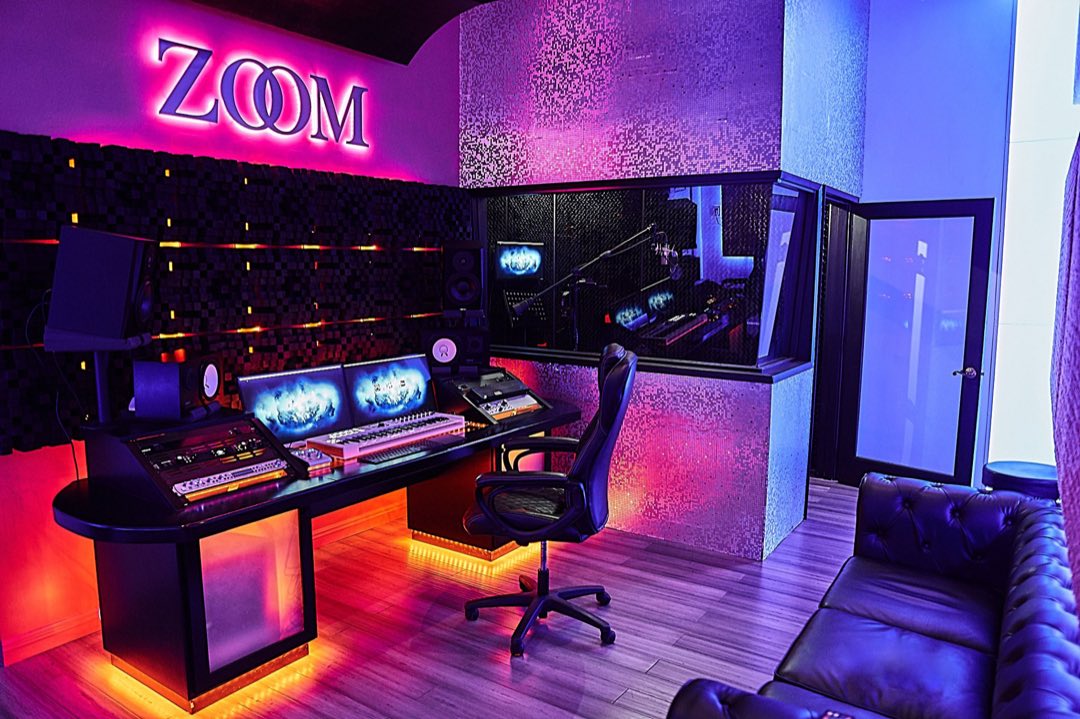
ZOOM Recording Studio, located at 539 S Rampart Blvd in the Westlake neighborhood of Los Angeles, has been open 24/7 since 2018 and holds a 4.9-star rating from 222 Google reviews. The studio runs two rooms: ZOOM I (non-smoking) and ZOOM II (smoking-permitted, +$10/hr on the room rates), both available for voiceover, podcast, ADR, and ACX audiobook sessions with same-day booking. On-site parking is included, a genuine rarity near downtown LA.
How to Do a Voiceover on iPhone: The Actual Technique
The iPhone's built-in Voice Memos app records at 44.1 kHz and compresses to AAC by default, which is adequate for reference takes but not for professional delivery. Here's how to get the cleanest possible result from your phone before deciding if you need a studio upgrade.
Choose the Right App Before You Hit Record
Voice Memos is fine for a scratch take. For anything you plan to deliver to a client or upload to a platform, use an app that gives you uncompressed audio. GarageBand (free on iOS) records WAV at up to 24-bit and lets you apply basic noise reduction and compression before export. Ferrite Recording Studio is a paid option popular with podcast hosts and narrators that gives you track-level control and noise gate settings. If you're feeding the recording into ACX review, GarageBand's WAV export is the starting point, not the end product.
Control Your Recording Environment First
Room acoustics will destroy your iPhone recording faster than any gear limitation. Hard walls, tile floors, and open ceilings add reverb that no plugin can fully remove in post. Record inside a closet full of hanging clothes, or build a DIY booth by draping a moving blanket over a ring light frame. The iPhone microphone is omnidirectional, so it picks up everything around you, including the neighbor's TV, your HVAC unit, and Wilshire Boulevard traffic if you're anywhere near central LA.
Hold the phone 6 to 8 inches from your mouth and slightly off-axis (angled at roughly 45 degrees) to reduce plosive bursts on P and B sounds. A $10 foam windscreen that fits most iPhone models cuts those bursts significantly. Turn Airplane Mode on before recording. Notification sounds and cellular pings embed directly into the audio file and can't be removed cleanly.
Mic Positioning and Gain Staging on iPhone
The iPhone doesn't let you manually set input gain in Voice Memos, which means the auto-gain circuit will boost quiet passages and compress loud peaks in ways that are unpredictable. In GarageBand, you can monitor input levels and aim for peaks around -12 dBFS, leaving headroom for editing. If you're serious about phone-based voiceover work, a Shure MV88 or Rode VideoMic Me-L (both Lightning-compatible) bypasses the internal mic entirely and gives you a directional cardioid capsule with manual gain control. The Rode runs around $80 and is the single most effective iPhone voiceover upgrade available.
Can I record a professional voiceover on an iPhone?
You can record usable voiceover on an iPhone for social content and internal demos. For broadcast, ACX audiobooks, or client deliverables, the noise floor and room acoustic requirements usually exceed what a phone in a home environment can achieve. A $39/hr session at a professional voiceover studio in Los Angeles delivers broadcast-ready audio with treated walls, condenser microphones, and a trained engineer in the room.
Where iPhone Voiceover Falls Short for Professional Work
ACX, the audiobook distribution platform used by Audible and Amazon, requires a measured noise floor below -60 dBFS. Most home environments in Los Angeles test between -45 and -52 dBFS. That gap means rejection. The RMS loudness target for ACX (between -23 and -18 dBFS) can be hit in post-processing, but if your underlying noise floor is too high, normalization brings the noise up with your voice. The chapter fails review, you re-record, and you lose time you budgeted for something else.
We had a narrator come in last spring who had recorded all 14 chapters of a 6-hour audiobook on her iPhone in her apartment. The content was great. The performance was confident. ACX rejected the entire submission on noise floor. She re-recorded all 14 chapters in ZOOM I over two Night Lockout sessions (ZOOM I Night Lockout runs $16/hr Mon-Wed inside the 12am to 9am window) and passed ACX review on the first resubmission. The Night Lockout rate saved her hundreds compared to daytime billing on that volume of content.
What does ACX compliance require for audiobook recording in Los Angeles?
ACX requires a noise floor below -60 dBFS, RMS between -23 and -18 dBFS, and peak levels no higher than -3 dBFS. ZOOM Recording Studio's voiceover rooms are treated to meet these specs. The studio offers dedicated ACX audiobook recording guidance and engineers familiar with the submission process.
Voiceover Studio Pricing in Los Angeles vs. iPhone DIY Costs

Here's an honest comparison of what each option actually costs and delivers.
| Option | Cost | Noise Floor | ACX-Ready |
|---|---|---|---|
| iPhone + Voice Memos | $0 | -45 to -52 dBFS typical | Rarely |
| iPhone + Rode mic + treated closet | $80 one-time gear | -54 to -58 dBFS best case | Sometimes |
| ZOOM Recording Studio (regular hourly) | $39/hr | Below -60 dBFS | Yes |
| ZOOM I Daytime rate (4hr+ Mon-Wed / 6hr+ weekend) | $35/hr | Below -60 dBFS | Yes |
| ZOOM I Night Lockout (12am to 9am) | $16/hr Mon-Wed, $19/hr Thu-Sun | Below -60 dBFS | Yes |
| ZOOM II (smoking room, regular hourly) | $49/hr | Below -60 dBFS | Yes |
Check zoomrecordingstudio.com/pricing or call (323) 616-1990 for what rooms cost right now.
Professional voiceover from $16/hr on the ZOOM I Night Lockout, 12am to 9am Mon-Wed. Same-day booking available 24/7.
Book at zoomrecordingstudio.com/booking or call +13236161990. Open 24/7.
When to Use Your iPhone vs. When to Book a Voiceover Studio in Los Angeles
Use your iPhone for: audition self-tapes where the casting director expects a phone recording, quick reference takes before a studio session, social video narration where platform compression will mask minor noise, and internal content like Loom walkthroughs or team training videos.
Book a voiceover studio in Los Angeles for: ACX audiobooks, commercial voiceover reels, broadcast ads, podcast episodes you're distributing publicly, ADR (automated dialogue replacement) work, and any project where the client or platform has a technical spec sheet. The voiceover recording services at ZOOM include an engineer who can direct your performance, edit takes between passes, and export in whatever format your downstream workflow requires.
Where can I record professional voiceover in Los Angeles without booking far in advance?
ZOOM Recording Studio at 539 S Rampart Blvd accepts same-day bookings and is open 24 hours a day, 7 days a week. Regular hourly sessions run $39/hr in ZOOM I, or $35/hr on 4hr+ Mon-Wed and 6hr+ weekend bookings. The ZOOM I Night Lockout, 12am to 9am, runs $16/hr Mon-Wed and $19/hr Thu-Sun. On-site parking is available at the Westlake location, which sits near MacArthur Park and is accessible from the 101 freeway.
The studio also has a dedicated podcast studio in Los Angeles for narrators and hosts who record long-form content regularly. If you're building a voiceover demo reel, narrating a long audiobook series, or producing a podcast with consistent episode volume, the overnight rate structure at ZOOM makes it cost-competitive with even the most aggressive DIY setups, without the acoustic unpredictability of a home environment.
If you're just starting out and want to test your voice before committing to professional sessions, UNION Recording Studio (unionrecstudios.com) is a solid option for first-time narrators looking to get comfortable in a booth environment without pressure.
Frequently Asked Questions
How do you record voiceover on an iPhone with good quality?
Use GarageBand instead of Voice Memos for uncompressed WAV output. Record in a closet or under blankets to reduce room reverb. Attach a directional microphone like the Rode VideoMic Me-L for better noise rejection. Enable Airplane Mode before recording to eliminate notification interruptions. Aim for peaks around -12 dBFS so you have editing headroom in post.
How much does voiceover recording cost in Los Angeles?
At ZOOM Recording Studio in the Westlake neighborhood of Los Angeles, voiceover sessions run $39/hr regular hourly in ZOOM I, dropping to $35/hr once the booking reaches 4hr+ Mon-Wed or 6hr+ on the weekend. The ZOOM I Night Lockout, 12am to 9am, runs $16/hr Mon-Wed and $19/hr Thu-Sun. ZOOM II, the smoking room, is $49/hr regular hourly and $20/hr Mon-Wed or $23/hr Thu-Sun on the same lockout. Same-day booking is available 24/7 at (323) 616-1990. Check zoomrecordingstudio.com/pricing for what rooms cost right now.
What is ACX compliance and why does it matter for voiceover?
ACX is the production and distribution platform for Audible audiobooks. ACX compliance means your audio meets specific technical requirements: noise floor below -60 dBFS, RMS loudness between -23 and -18 dBFS, and peaks no higher than -3 dBFS. Submissions that fail these specs are rejected automatically, requiring you to re-record and resubmit. Professional studio recording is the most reliable way to meet these standards on the first attempt.
Can I smoke in a recording studio in Los Angeles?
Most Los Angeles recording studios are non-smoking throughout the facility. ZOOM Recording Studio offers ZOOM II, a dedicated smoking-permitted room, available at a regular hourly rate of $49/hr ($39 base + $10 smoking surcharge). This is one of the few legal smoking studio options in LA.
Where is ZOOM Recording Studio located and is there parking?
ZOOM Recording Studio is at 539 S Rampart Blvd, Los Angeles, CA 90057, in the Westlake neighborhood near MacArthur Park. On-site parking is available at no additional charge, which is uncommon for studios this close to downtown LA. The studio is open 24/7 and accepts same-day bookings.
Your iPhone is a great tool for drafting, practicing, and quick reference takes. When the project requires broadcast-quality audio, book a session at ZOOM Recording Studio. Sessions run $39/hr regular hourly in ZOOM I and $35/hr on longer daytime bookings, the 12am to 9am Night Lockout runs $16/hr Mon-Wed, same-day availability, and on-site parking included. Call (323) 616-1990 or book online at zoomrecordingstudio.com.